
eDPI Calculator – Effective Dots Per Inch, Games, Valorant 2025]
To find the effective DPI (eDPI), multiply the DPI of your mouse by your in-game sensitivity setting.
To find the effective DPI (eDPI), multiply the DPI of your mouse by your in-game sensitivity setting.
The eDPI Calculator is used for the gamers. The gamers can standardize their mouse sensitivity across different games. The games include CS, Fortnite, and Overwatch. eDPI, or effective DPI, provides a consistent measure of sensitivity by combining the DPI setting of the mouse with the in-game sensitivity.
This calculation allows players to achieve similar aim precision and movement, regardless of game or platform, which is especially helpful for those who play multiple titles with varying sensitivity settings.
eDPI = DPI ∗ Sensitivity
| Variable | Description |
|---|---|
| eDPI | Effective DPI |
| DPI | Dots per inch (mouse setting) |
| Sensitivity | In-game sensitivity setting |
Example 1:
| Step | Calculation |
|---|---|
| DPI | 800 |
| Sensitivity | 0.5 |
| eDPI Calculation | |
| Result | 400 |
Answer: With a DPI of 800 and sensitivity of 0.5, the eDPI is 400.
Example 2:
| Step | Calculation |
|---|---|
| DPI | 1200 |
| Sensitivity | 0.6 |
| eDPI Calculation | |
| Result | 720 |
Answer: With a DPI of 1200 and sensitivity of 0.6, the eDPI is 720.
The eDPI Calculator is a practical tool. It is used for gamers seeking optimal in-game sensitivity settings. Effective DPI, or eDPI, combines your mouse’s DPI (dots per inch) and in-game sensitivity, creating a single value to help achieve consistent sensitivity across different games.
Calculating eDPI involves multiplying the DPI by the in-game sensitivity, allowing players to maintain familiar settings in diverse gaming environments.
For example, if your mouse DPI is set to 800 and in-game sensitivity is 0.5, the eDPI is 400. This number helps you keep a similar feel across games like CS, Fortnite, and Overwatch, making it easier to switch games without adjusting to new sensitivity settings constantly.
Using this calculator, you only need to enter your current DPI and sensitivity values. The result aids in achieving balanced, accurate control, whether you’re sniping from a distance or engaging in close combat.
To put things in perspective, The eDPI Calculator offers a straightforward way to manage sensitivity settings, enabling smoother transitions across games and enhancing precision in various gaming experiences.


10 / 100 SEO Score To calculate a 70% discount, multiply the original price by 0.70 to find the discount amount, then subtract that from the original price to find the final price. 70% Off Calculator Basic Calculator Advanced Calculator Original Price ($) Amount After Discount ($) Original Price ($) Discount Rate (%) Final Price…
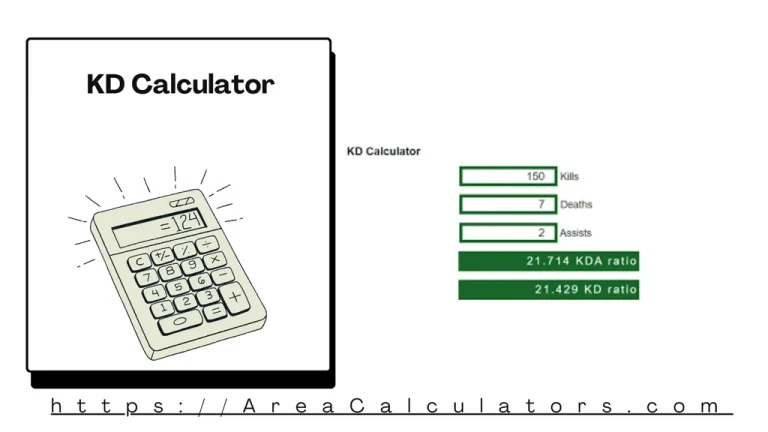
To calculate KD (Kill/Death) Ratio, divide the total number of kills by the total number of deaths. This gives an insight into player performance in competitive gaming by showing the balance between kills and deaths. The KD Calculator is widely used in gaming to measure player effectiveness, especially in shooter games. This tool allows players…
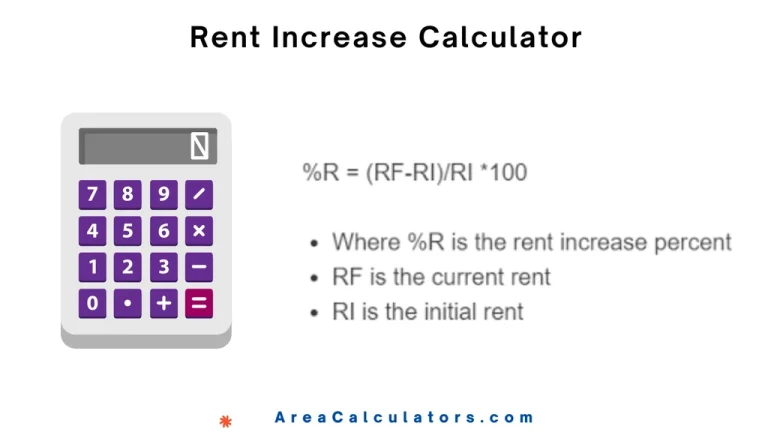
To find the percentage increase in rent, subtract the initial rent from the final rent, divide by the initial rent, and multiply by 100. The Rent Increase Calculator comes to the rescue of landlords and tenants to estimate the percentage increase in rent over time. This empowers both parties to understand how much rent has…
10 / 100 SEO Score Use this 28 Day Prescription Refill Calculator, that is basic and advanced mode. Kindly enter values to calculate. A 28 Day Prescription Refill Calculator makes the tracking your medication refills. By calculating the number of days from your last fill date, you can ensure you never miss a dose Formula…
To convert inches to kilograms, multiply the cubic inches (in^3) by the density (D) of the material. The Inch to Kg Calculator allows you to convert a volume in cubic inches to weight in kilograms, provided you know the material’s density. Inch to Kg Calculator Enter any 2 values to calculate the missing variable Length…
To determine your quiz grade, divide the number of correct answers by the total number of questions and multiply by 100. The Quiz Grade Calculator is a simple and efficient tool to determine your grade percentage based on quiz performance. It helps students assess their results and understand how their answers translate into scores. This…